Broken Link Checker Guide: Find, Fix and Recheck Your Links
By IndexHaven Editorial · Published 2026-10-13 · Updated 2026-10-13
Find broken internal and external links, distinguish missing pages from blocked requests, choose the right repair and verify it from the original page.
In this guide
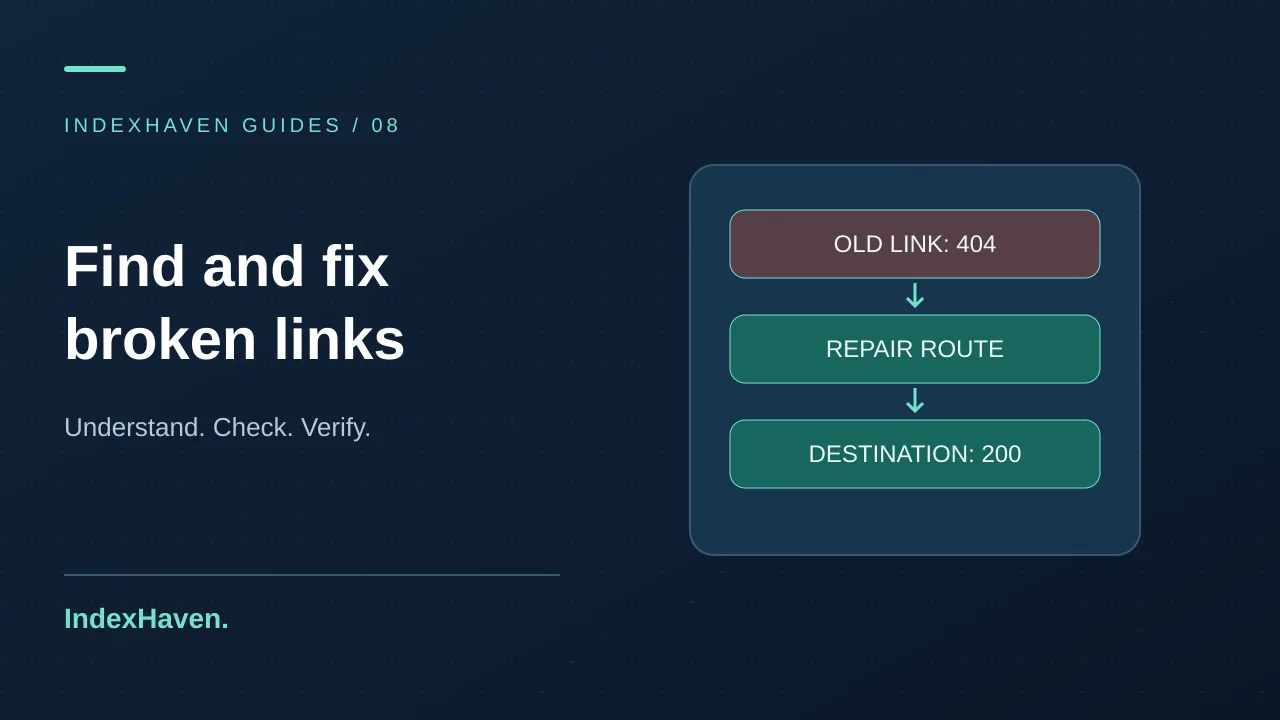
To find and fix broken links, record the page containing the link, inspect the destination response, and decide whether the destination should be restored, replaced or removed. Then check the original link again. A confirmed missing page is different from a request blocked by a firewall, and an HTTP 200 response is not enough if the visitor reaches the wrong content.
A broken link checker is useful because it gives you a starting list. The repair still requires context: what was the reader trying to do, who controls the destination, and what should happen now? This guide takes you from a finding to a verified fix without treating every failed automated request as proof that a page has disappeared.
What counts as a broken link?
A link is a route from one page to another resource. It can point to another page on your site, an external source, a download or an image. From a visitor's perspective, the route is broken when it cannot deliver the intended destination. That may involve a missing resource, an invalid address or an unusable access requirement.
An automated checker observes a narrower set of facts. It requests the destination and records a status, redirect path or failure. A 404 or 410 response is strong evidence that the requested resource is not available at that address. A timeout says that this attempt did not complete. It does not explain whether the page has been permanently removed.
Keep those distinctions in your repair list. “Missing destination,” “redirected destination,” “blocked request” and “needs manual review” are more useful labels than one red broken-link total. They also prevent unnecessary edits when a third-party site temporarily rejects automated requests while remaining available to normal visitors.
Internal and external links need different owners
An internal link points within the site you maintain. You can usually investigate both the source page and the destination, although the problem may involve separate teams or systems. A navigation link generated by a template has a different repair location from a link pasted into one blog paragraph.
An external link points to a resource controlled by someone else. You may be able to replace the reference, but you cannot promise to restore the original page. The editorial question becomes whether the source still supports the claim, whether a trustworthy replacement exists, and whether the surrounding sentence needs updating.
For example, an article about certificate renewal may cite official documentation that has moved. Replacing that reference with a random article merely because it returns 200 would weaken the page. Find the current authoritative destination and reread the relevant section before updating the link. The purpose is to preserve useful evidence, not just remove a warning.
Step 1: save the source, anchor text and destination
Topics: technical SEO, website monitoring, broken links, http-status-checker, redirect-chain-checker
Start every repair record with three items: the source URL, the visible link text and the requested destination. Without the source URL, an editor may know what failed but not where to fix it. Without the anchor text, a page containing several links to the same domain becomes harder to investigate.
Add the check time and any redirect destination. For a shared footer link, note that the finding may affect many pages even if the scanner encountered it only once. For a blog citation, include the sentence around it. That context helps the reviewer decide whether to update the reference or revise the underlying claim.
Use a short, descriptive note. “Contact link on the maintenance page points to the retired enquiry form” is actionable. “Website has errors” is not. If another person will make the change, include the expected replacement or clearly state that the destination decision is still pending. Do not hide uncertainty inside an apparently complete task.
Step 2: check the response without assuming the cause
Use the HTTP status checker to inspect the address when a focused response check is enough. If the destination redirects, review the final URL as well as the first response. A redirect can be intentional, but a chain ending on a missing page still leaves the visitor without the promised content.
Treat 404 and 410 findings as candidates for a real repair. For 403, 429 or server errors, investigate access rules, rate limiting or temporary availability before replacing a valid link. A blocked scanner response is not evidence that the destination is safe to delete from an article. Record the uncertainty and verify through another appropriate method.
Google's HTTP and network error documentation explains how response categories affect its crawling and indexing systems. Your checker is not Googlebot, and its network location or request policy may produce a different response. Use the status as observed evidence rather than claiming that every crawler receives the same result.
Step 3: reproduce the problem as a visitor
Open the source page signed out and follow the actual link. Confirm that the browser requests the same address the report lists. Sometimes the visible text looks correct while the destination contains an old hostname, a spelling error or an extra path segment. A copied URL can also contain a parameter that changes the destination's behavior.
Check whether the result requires authentication. A link to a customer portal may be intentional if the surrounding text makes that requirement clear. The same portal would be an unsuitable destination for a public documentation link that promises instructions anyone can read. Context determines whether the route is useful.
For important actions, test the whole journey rather than stopping at the first successful page. A contact page may load but contain an outdated email address. A download page may open while its file link fails. A checker provides clues; the visitor's intended task tells you where verification should end.
Step 4: choose between restoring, replacing and removing
Restore the destination when the content should still exist at the original address and its disappearance is accidental. Examples include an unpublished help article, a file omitted from a deployment or a route removed by mistake. Restoring the intended resource may be better than changing every reference to work around an avoidable error.
Replace the source link when a suitable current destination exists. If a service page moved permanently, update the navigation or paragraph to point directly to the new address. Consider a redirect for people using old bookmarks or external links, but avoid leaving your own important links dependent on an unnecessary detour.
Remove the link when the referenced resource is no longer useful and there is no suitable replacement. Read the sentence after removal. If the link was the evidence for a factual claim, you may need to revise or remove that claim too. Deleting only the clickable formatting does not automatically preserve the article's quality.
Step 5: avoid redirecting everything to the homepage
A blanket homepage redirect can make a missing address appear to lead somewhere, but it often fails the visitor's actual intent. Someone following a link to a specific setup guide still needs that guide or a clear replacement. Arriving at a generic homepage forces them to search again and obscures what happened.
Choose the closest genuine replacement when one exists. If a discontinued service has no equivalent, an honest missing-page response with useful navigation may be more appropriate than pretending an unrelated page is the replacement. Google's crawl troubleshooting guidance distinguishes moved content from missing or error content and discusses soft 404 behavior.
The redirect chain guide covers how to trace the route and verify the final destination. Keep the redirect decision separate from the source-link repair. Both may be needed: one protects old references you cannot edit, while the other keeps the current website's navigation direct and understandable.
Step 6: fix the source that generated the link
A link in a shared menu should normally be corrected in the menu configuration. A footer link may come from a layout component. A link in a blog body belongs in the editorial content. Identify that source before patching rendered HTML or changing a single output file that will be regenerated later.
If many pages share the same bad address, inspect the template and a few representative pages after the change. Do not assume that every occurrence comes from one source. An old link may exist in both the navigation and several manually written articles, requiring separate corrections.
For a CMS workflow, preview the change and check the published version after saving. A correct draft does not prove the live page has updated. Caching, publication state or a deployment step can delay the visible result. Include the public response in the acceptance note so the next person knows what was actually checked.
Step 7: check anchor text and surrounding meaning
The destination and the wording should agree. If the text says “download the checklist,” the link should reach the checklist or a clearly explained download page. Replacing it with a general blog index may remove a technical failure while leaving a misleading promise in the sentence.
Use descriptive wording that fits naturally in the paragraph. Google's link guidance discusses understandable anchor text and ordinary crawlable links. A reader should be able to anticipate the destination without seeing the raw URL. Repeating a target keyword across every link is not a substitute for that clarity.
For external references, name the source or topic where it helps. “Google's documentation on response codes” is more informative than “click here.” Keep the reference close to the claim it supports. That makes the article easier to verify and gives future editors a reason to preserve the link when the site is reorganized.
Step 8: verify the repair from the original page
Return to the source URL and follow the repaired link again. Confirm the requested address, final destination and content. If you added a redirect, test the old address separately as well. These are two different acceptance checks, and passing one does not prove the other behaves correctly.
Record whether the response was successful, redirected, missing or unverified. If the external destination still blocks automated requests but works in a browser, keep that limitation visible. Do not turn an uncertain result into a green success simply because the team wants to close the task.
In IndexHaven, use Scan again on the monitored page to gather a fresh observation when you have allowance remaining. Review the new findings before approving a baseline. A baseline is a reference for future comparisons, so approving an unresolved problem merely to clear a workflow would make later evidence harder to interpret.
A worked example: an outdated service link
Imagine a public article about monthly website care links to an old service address. The checker records a 404 response, and the anchor text promises a maintenance package. This is an illustrative scenario, not a claim about a measured customer result. The article itself loads, so an uptime check alone would not expose the broken journey.
First, the editor confirms that the package still exists under a new address. The new page explains the same service and is available without signing in. The editor updates the paragraph's link directly to that page and checks whether the old address should permanently redirect for visitors arriving from other websites.
Next, the developer verifies the old-to-new route and the editor verifies the article link. They also search the site's navigation and content for the retired address. Finally, they record the exact responses and keep the original finding with the repair note. The outcome is a working route with evidence, not just a smaller error count.
Prioritize broken links by the task they interrupt
A broken quotation request link deserves attention before an obscure reference in an old archive. That is a practical business prioritization, not a claim that only conversion links matter. Consider the number of affected pages, the importance of the destination, and whether visitors have another clear route to complete their task.
Start with shared navigation, contact routes, key product or service links and important documentation. Then review supporting references and older content. Group identical destination failures so you can investigate their cause once, while retaining the list of source pages that still need a correction.
Assign an owner and a next action to each group. An external outage may need a later recheck; an internal typo may take a quick content edit; a removed service may need a product decision. A useful audit distinguishes these responsibilities rather than handing a developer a long undifferentiated list.
What a single-page link checker can and cannot cover
A single-page checker examines links found on the submitted page. It is not automatically a crawl of the whole website. Links inserted only by JavaScript, routes behind authentication and destinations excluded by safe fetching policies may be outside its visibility. State the coverage before presenting the findings to a client.
IndexHaven's expanded page audit samples up to 20 unique eligible anchor destinations and 10 images, within a shared resource budget of 40 requests and 45 seconds. It uses initial HTML and respects robots restrictions. These bounds keep work predictable, but they mean a large navigation menu or resource-heavy page can have links outside the checked sample.
The report labels blocked or incomplete resource checks as unverified. A clean sampled result means that no confirmed problem was found in that sample; it does not certify every link on the domain. For a migration or large content cleanup, use a suitably scoped full-site crawl alongside targeted monitoring of the most important pages.
Broken images need a related but separate review
An image failure can leave a page technically reachable while hiding useful information. A product photograph, process diagram or screenshot may be central to the page's explanation. Record the source page and image address, then inspect whether the failure comes from a moved file, access rule or incorrect reference.
Do not confuse a missing image with a missing alt attribute. One concerns delivery; the other concerns the text alternative in context. A functioning decorative image can correctly have an empty alt value, while an informative broken image remains a delivery problem even when its alternative text is well written.
IndexHaven's image audit also reports declared dimensions and available size information. Use those findings to decide what needs deeper inspection. They do not replace a browser layout check or prove the image's intrinsic dimensions. The broader page SEO checklist explains how image findings fit alongside metadata, headings and indexing checks.
Prevent the same issue during future changes
Before removing or renaming a public page, identify important internal references and decide what replaces the content. A short change note can list the old address, intended new address, source links to update and redirect decision. That is easier to review than discovering the effects after publication.
After a release, recheck representative pages from the templates that changed. A navigation update needs different coverage from a one-paragraph article edit. Keep the scope proportional, but make it explicit. “Checked the homepage and one service page” is more useful than “everything looks fine” when only two pages were examined.
When changing URL structure, review canonical declarations and sitemap delivery as separate tasks. Working links do not guarantee that those signals are consistent. A small release checklist helps the team remember connected systems without treating every content update as a full website rebuild.
Build a monitoring routine you can maintain
Choose pages whose failures would matter to your visitors and business. Establish a clean observation, review the relevant signals and decide which changes deserve attention. Avoid enabling a large set of alerts without understanding what each one means; an inbox full of unexplained findings is easy to ignore.
IndexHaven combines link findings with page monitoring and change evidence. Its Free plan shares five total started page checks per UTC calendar month between scheduled and manual scans. Scanning the bounded link sample is part of one page check, not a separate charge for each destination. A started scan still counts if the target fails.
If you need to review many pages regularly, compare the available plans and limits. Choose coverage based on the pages you actually need to maintain. Monitoring does not eliminate editorial judgment, but it can preserve observations so you can explain what changed, when it was noticed and how the repair was verified.
Common questions about broken link checking
Does every 404 mean my entire website has an SEO problem?
No. A deliberately removed resource may correctly return 404. The practical issue is whether useful pages still point visitors to a destination that should be available. Investigate the source and intent before deciding on a repair. Avoid treating a count of missing addresses as a complete assessment of site quality or ranking potential.
Should I replace a link that returns 403 or 429?
Not automatically. Those responses can reflect access restrictions or rate limiting rather than a missing resource. Check the destination appropriately, record the uncertainty and avoid repeated aggressive requests. Replace the link when you have established that it no longer serves the reader, not merely because one automated request was refused.
Will fixing links guarantee more search impressions?
No. Repairs improve the routes available to visitors and can remove obstacles to discovery, but impressions depend on indexing, relevance and other factors. Track the repair itself first. Search Console can help you observe later search performance, but a change in a chart does not prove that one link repair caused it.
Should I delete and re-add a monitored page after a repair?
No. Use Scan again when it is available, review the fresh result and preserve the page's history. Deleting and recreating a monitor makes the investigation harder to follow and is unnecessary for a normal recheck. Keep the approved baseline until you intentionally decide that a new observation is the correct reference.
What should a client receive after the work is complete?
Send a concise explanation of the affected journey, the repair and the verified result. Include the source page and destination, plus any unresolved or unverified findings. A screenshot can help explain the context, but the actual URLs and response evidence make the report reproducible. Clear limits build more trust than declaring the entire website perfect.
Audit one page in a practical order: response, indexability, canonicals, titles, headings, links, images and schema. Learn what to fix and how to verify it.