Sitemap Could Not Be Read? A Step-by-Step Guide | IndexHaven
Sitemaps
Sitemap Could Not Be Read: A Step-by-Step Troubleshooting Guide
By IndexHaven Editorial · Published 2026-10-12 · Updated 2026-10-12
Diagnose Search Console sitemap errors by checking HTTP responses, XML, child sitemaps and verified crawler logs before changing a working setup.
In this guide
When Google Search Console says a sitemap could not be read, check the exact submitted URL, the HTTP response, the XML body, and any child sitemaps before changing your website. Then compare the result with server logs and the report's timing. A successful fetch shows delivery; it does not by itself prove that Google has processed the sitemap or indexed the pages inside it.
The message can be frustrating because it may arrive with zero discovered pages and no useful detail. Resist the temptation to generate five new sitemap filenames immediately. A small sequence of checks gives you better evidence and avoids turning one unclear report into several competing configurations.
Understand what a sitemap does and does not do
A sitemap tells a search engine about URLs you want it to discover. It does not create the pages, make weak content valuable, or guarantee indexing. Google's sitemap guidance describes submission as a hint rather than a command to crawl every listed address.
This distinction helps explain apparently contradictory situations. A page can be discovered through a normal link even while a sitemap report has a problem. A sitemap can be processed successfully while some included pages remain unindexed. Those are different stages of the discovery and search process.
Keep three questions separate in your notes: can the file be retrieved, can its contents be interpreted, and what happened to the listed pages? Each question needs different evidence. A zero in the discovered-pages column does not automatically answer all three.
Know whether you submitted a sitemap or an index
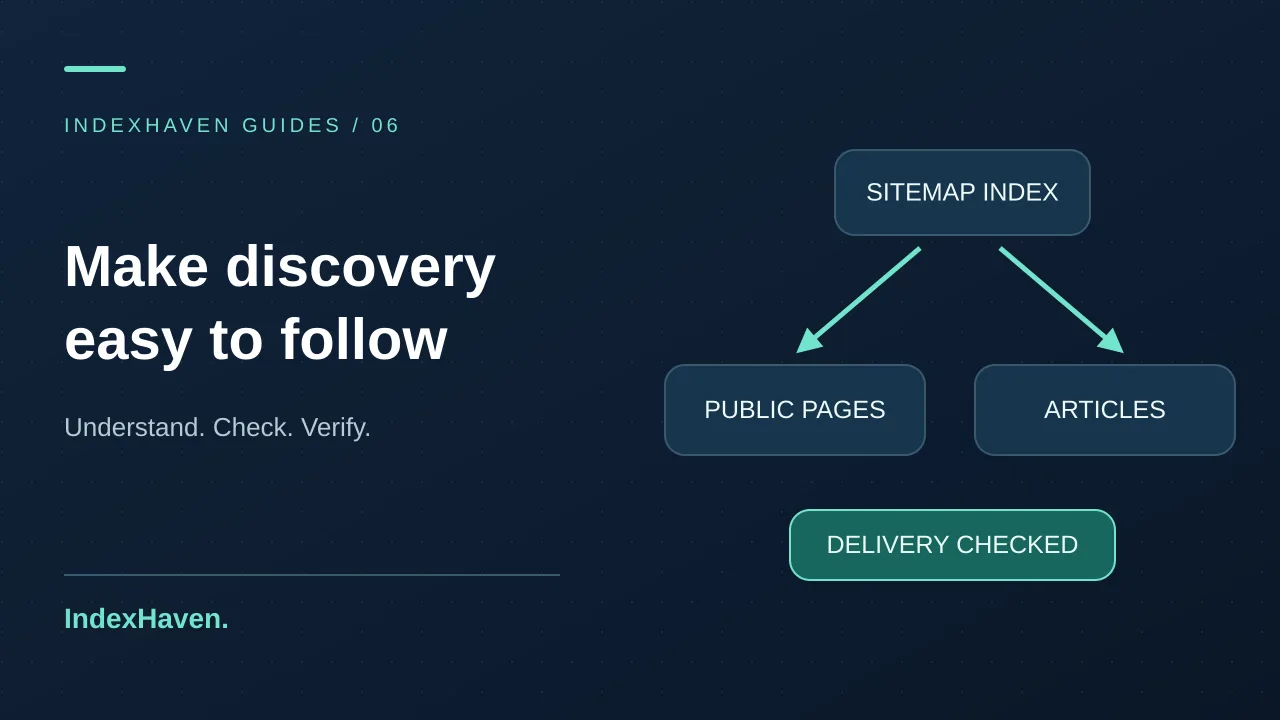
A regular XML sitemap contains page URLs. A sitemap index contains the URLs of other sitemap files. If you open an index and see only two or three entries, that does not necessarily mean your website has only two or three discoverable pages.
For example, a small application might have one child file for public pages and another for published articles. The index points to those files; each child then lists its own URLs. Follow every listed child and inspect its response. A readable index can still point to an empty, unavailable, or incorrectly generated child.
Do not put one sitemap index inside another index as a casual nesting strategy. Google's Sitemaps report documentation describes supported structures and specific error categories. Keep the structure simple enough that someone can trace it manually when a report becomes unclear.
Step 1: copy the submitted URL exactly
Start from the URL shown in Search Console. Compare the protocol, hostname, path, and filename with the live website. Small differences matter: www and non-www are different hosts, and /sitemap.xml is not the same route as /sitemap_index.xml. A remembered address is not reliable evidence.
Topics: sitemap, technical SEO, Search Console, http-status-checker
Open that exact URL in a signed-out browser. You should not need an account to retrieve a public discovery file. If the response is a login page, a branded error screen, or a bot challenge, you have found a delivery problem even if the browser eventually displays something attractive.
Also confirm that you are looking at the intended Search Console property. A domain property and a URL-prefix property have different scope. Do not delete and recreate properties simply because the sitemap status is unclear; first establish that the submitted address belongs to the site you meant to inspect.
Step 2: inspect the HTTP response before the XML
A sitemap needs to reach the requester. Check the status code and response headers for the exact URL. A 404 means the requested route is missing. A 403 or challenge can indicate access restrictions. A server error needs investigation in the application or infrastructure. A redirect deserves inspection of its destination.
Use the HTTP status checker for a focused check, or ask your developer to capture the response. A simple bounded diagnostic command is:
Read both files. A 200 response can still contain the wrong body, such as an HTML error page generated by a fallback route. Conversely, a browser's plain XML display may look unfamiliar while being perfectly valid. Judge the response by its structure and content, not by whether it has a styled interface.
Step 3: validate the XML and URL entries
Check that the document uses the expected sitemap structure and that its values are escaped correctly. For a page sitemap, inspect the URL entries; for an index, inspect the child file locations. Use an XML parser rather than relying only on a visual scan of a long line.
The sitemaps protocol documents the format. A developer can use it to verify namespaces, required elements, encoding, and size limits. Most website owners should let a maintained CMS or application generate the file rather than editing XML by hand after every new article.
Pick several listed URLs and open them. Check that they use the intended public hostname and resolve to the pages you expect. XML validity and URL quality are separate checks. A perfectly formed sitemap full of preview URLs is still the wrong inventory for a production website.
Step 4: inspect every child sitemap
If the submitted URL is an index, follow its child links one by one. Record the status and number of entries in each file. This makes it clear whether the problem is at the index level or isolated to a section such as articles, products, or images.
An empty article sitemap may simply mean nothing has been published yet. It should not be confused with a missing public-page inventory. Review whether your generator should advertise empty child files, but do not invent placeholder articles to make the count look healthier. Publish useful content through the normal editorial process.
If a child uses pagination, test the first and later pages that the index actually references. Check that the generator does not list pages beyond the available data or repeat the same URLs across every chunk. These problems belong in the generation logic, not in Search Console's submission form.
Step 5: check crawler access and public infrastructure
Review robots.txt, authentication middleware, firewall rules, and any edge protection that affects the sitemap path. The public file should not depend on a logged-in cookie. Test it from outside the server as well as from the server itself; a local success alone may miss public DNS or routing problems.
Check the hostname's DNS records and HTTPS behavior. If different addresses serve different versions of the site, a visitor and a crawler may reach different responses. A certificate or connection failure can stop the request before your application sees it. The SSL monitoring guide explains that layer of verification.
Do not disable all security controls in response to a vague report. Find the specific rule that affects the public route, if one exists, and make the narrowest appropriate correction. On shared hosting or a VPS, preserve the behavior of other websites while investigating this one.
Step 6: look for evidence in server logs
A server log can show whether a request reached the server and what status was returned. Filter for the exact sitemap path and relevant period where timestamps are available. Keep the response size too: a successful status with a tiny error body can be a useful clue.
A user-agent string claiming to be Googlebot is not enough to establish identity. Google's crawler verification documentation explains supported verification approaches. If you need to attribute a request to Google, use those methods rather than assuming every bot label is honest.
Even a verified Google request returning 200 proves only that your server recorded successful delivery for that request. It does not expose Google's internal parsing or indexing decision. Report the evidence accurately: “Google fetched the file successfully” is narrower and more defensible than “Google accepted every URL.”
Step 7: compare report timing before changing more settings
Search Console is a reporting system, not a live mirror of every request your server receives. Compare the report's last-read information with the observations you just collected. A recent successful request and an older status can coexist while processing or reporting catches up.
If no specific error is provided and the current response validates, preserve the working setup and check again later. Google's documentation says it may retry failed retrieval or processing and describes when resubmission is appropriate. Do not promise yourself an exact update time, and avoid repeatedly changing the file while trying to interpret a delayed report.
Use URL Inspection on important pages as a separate diagnostic. It can help you understand page-level access and indexing information, but it is not a command that forces the sitemap report to become successful. Keep the two investigations connected without treating them as the same test.
Example: a new website shows zero discovered pages
Imagine a newly launched service site with a sitemap index and a public-page child containing seventeen URLs. The owner submits the index and immediately sees an unreadable status. The file opens in a browser, but that alone does not settle the issue.
A structured investigation confirms a 200 XML response, parses the index, retrieves the child, and validates its seventeen URLs. Later, the server records a verified Google request for that child with a successful response. At that point, there is evidence of delivery and no confirmed current access failure, while the report may still show zero.
The sensible next step is to retain the valid configuration and observe the report, not to claim that all seventeen pages are indexed. This is an illustrative workflow for separating stages. It shows why careful wording matters when reassuring an owner who sees an alarming red message.
Example: an application returns HTML at the sitemap route
Suppose a framework routes every unknown path to a generic page. A deployment accidentally omits the sitemap route, but /sitemap.xml still returns 200 with the site's HTML shell. A status-only monitor says the address is healthy even though a sitemap parser cannot use the response.
The repair belongs in routing or generation. Restore the intended XML endpoint and verify the body and content type after deployment. Add a regression check that parses the XML and confirms at least the expected public URLs, not merely a test for status 200.
This example is also a reminder to inspect fallback behavior after application changes. A friendly error screen can hide a technical failure from simple checks. The more specific acceptance test makes the system easier to trust during future deployments.
Example: the sitemap includes draft or private URLs
A CMS may store drafts and published posts in the same database table. If the generator selects every record without considering publication state, it can advertise URLs that visitors cannot access or that should never have been public. The XML itself may remain valid throughout.
The correct fix is to derive discovery from the published public state. Saving a draft should not add a public URL. Publishing should add the intended canonical address. Unpublishing should remove it from discovery, while the page route follows the site's deliberate unpublishing behavior.
Test that lifecycle using isolated content before relying on it for production. IndexHaven's blog discovery uses published article data, so a draft edit does not immediately replace public content. If you manage another CMS, verify its actual behavior rather than assuming every “save” button means the same thing.
Keep the sitemap aligned with canonical URLs
A public sitemap should reflect the URLs you intend to present as the maintained public versions. Check for old slugs, redirecting paths, unexpected query strings, or canonical targets that point elsewhere. These inconsistencies can complicate diagnosis even when the sitemap is readable.
Use the canonical checker on representative listed pages, then inspect destinations separately where necessary. If a migration changed URLs, compare the sitemap with the redirect map and current navigation. The canonical troubleshooting guide explains how to investigate disagreements without treating every variation as a critical error.
Do not change canonical tags solely to make them match an incorrect sitemap export. Decide the intended URL policy first, then correct the generator and related signals. The sitemap should describe the website's chosen public structure, not dictate it accidentally.
Use last-modified dates honestly
A last-modified field is most useful when it describes a meaningful update to the page. Do not regenerate every date on every request merely to make the sitemap look fresh. That makes the field less informative for both your team and systems consuming it.
Tie the value to the published content lifecycle where your CMS supports it. An unpublished draft change should not imply that the public article changed. A factual correction or substantial content update may deserve a new public modification time. Keep your implementation consistent with the meaning of the field.
For editors, record what changed in the article as well. A visible update note helps readers understand why a guide was revised, while the stored timestamp supports discovery and structured data. These are useful maintenance practices, not tricks that guarantee more frequent crawling or higher rankings.
Connect discovery to useful internal links
A sitemap is not a replacement for navigation. Readers should be able to reach important guides from the blog listing, relevant tools, and related articles. Use descriptive link text that explains the next task rather than repeating a target keyword mechanically in every paragraph.
For example, a sitemap guide can link to an HTTP status check when explaining retrieval, an SSL guide when explaining connection failures, and a canonical guide when explaining URL selection. Those links help a reader complete the investigation. They also make the relationships between topics understandable without adding a large unrelated link block.
Review links when a slug changes. A maintained redirect may help old references, but current internal links should normally point to the intended current address. The redirect-chain guide covers how to inspect the path when an old link no longer reaches the expected destination directly.
A useful handoff for your developer or host
Send the exact submitted URL, the report wording, and when you observed it. Include the current status, a small body excerpt or parsed result, and any verified log evidence. Mention whether the file is an index and identify affected children. That package is more actionable than a screenshot saying “SEO broken.”
Ask a concrete question: “Does this route consistently return the expected XML publicly, without authentication or a challenge?” If the answer is yes, ask whether there are intermittent errors or different responses across serving nodes. If the answer is no, fix the specific delivery issue before resubmitting.
Keep secrets and unrelated customer data out of the evidence. Server logs may contain sensitive paths or parameters elsewhere; extract only what is necessary for the sitemap investigation. A focused diagnostic record helps the right person act quickly without exposing the rest of your application.
Questions about sitemap errors
Should I delete and resubmit the sitemap repeatedly?
No. First validate the current response and identify any real defect. After correcting a problem, resubmit as appropriate and allow processing time. Repeated unchanged submissions do not replace diagnosis. Keep one maintained discovery structure so the team knows which file is authoritative.
Does a successful sitemap mean every page will rank?
No. Delivery and processing are discovery steps. A page still needs to be useful, accessible, and selected for indexing, and ranking depends on the query and many other factors. Google's technical requirements explicitly state that meeting them does not guarantee indexing.
Do I need to submit every new blog post manually?
A correctly configured dynamic sitemap can include newly published articles automatically. Maintain normal internal links as well. Manual inspection of selected important URLs can be useful, but publishing should not depend on someone remembering to edit a static XML list for every post.
What should I monitor after the report clears?
Monitor that the sitemap remains available, contains the intended public inventory, and changes appropriately when content is published or removed. Check representative listed pages for status and directives. A successful report today does not prevent a later deployment from changing routing, publication filters, or the URLs generated for a new content type.