Canonical Tag Errors: Find and Fix Conflicting URLs | IndexHaven
Canonicals
Canonical Tag Errors: How to Find and Fix Conflicting URLs
By IndexHaven Editorial · Published 2026-10-12 · Updated 2026-10-12
Troubleshoot canonical tags, inspect their targets, and align redirects, internal links and sitemaps with the public URLs you actually want to maintain.
In this guide
A canonical tag identifies the URL you prefer search engines to use for a page or a group of substantially similar pages. To troubleshoot a canonical problem, compare the declared target with the page's purpose, check that target's response, and look for conflicting redirects, links, or sitemap entries. A canonical declaration is a signal, not proof that Google selected that URL.
Canonical issues often feel mysterious because the page still works. A visitor can read the content, the server returns a successful response, and an SEO plugin displays a value. Yet the value may describe yesterday's URL, a different hostname, or a page that is no longer the best match. This guide explains how to investigate those situations without changing every canonical on the site at once.
Start with the content, not the tag
Before choosing a canonical URL, ask whether the pages are genuinely the same or very similar. A tracking variation of a product page may fit that description. Two different products do not become equivalent merely because they share a template, a brand, or a category. The intended content relationship should drive the configuration.
Write down the page a customer should bookmark or share. Then compare that address with the URL in navigation, the sitemap, and the canonical declaration. This simple exercise often reveals disagreement before you need a large crawl. If the team cannot agree on the preferred destination, resolve that decision before asking a developer to encode it.
Google's canonicalization overview describes how it selects a representative URL from similar content. Your role is to provide a clear, consistent preference and a useful page. You cannot force the search engine's final choice merely by adding a tag.
Understand the three questions in a canonical investigation
First, what does the page declare? Second, does the target behave as intended? Third, what has Google selected? These are separate questions with different evidence. Combining them into one green or red label makes diagnosis harder.
The canonical checker helps with the first question by reading the returned HTML and showing declaration evidence. Its output does not crawl the canonical destination or identify Google's selected canonical. You must inspect the destination separately and use Search Console for Google's view.
For example, a tool can correctly report that a page points to /services/ while that target redirects elsewhere. The tool did not fail; the investigation stopped too early. Keep a short worksheet with the requested URL, final URL, declared canonical, target response, and Search Console observation. Leave a field unknown when you have not checked it.
Topics: canonical, technical SEO, website monitoring, canonical-checker
A self-referencing canonical is a useful starting point
A self-referencing canonical points from the preferred page to its own absolute URL. It helps express a consistent preference on the page you actually want people to find. Google's canonical implementation guidance recommends consistent canonical signals, including links to preferred URLs and self-references on canonical pages.
Consider a service page at https://example.com/website-care/. If that is the maintained public address, its declaration should not accidentally reference a development domain or an old slug. The important part is consistency with the content and routing policy, not copying a specific slash pattern from another website.
A missing declaration is a prompt to investigate, not proof that Google cannot understand the page. Avoid treating every absence as a critical incident. Prioritize conflicting, broken, or inappropriate targets on important pages, then make template-level improvements where they reduce ambiguity without creating new mistakes.
Step 1: collect representative URL variations
List the variations that actually exist on your site. These may include http and https, www and non-www, old slugs, tracking parameters, print views, or filtered listings. Do not invent hundreds of theoretical combinations if your application never serves them. Start with links you can find in navigation, analytics, search reports, or recent migration notes.
For each variation, record whether it displays content, redirects, or returns an error. A URL that redirects immediately is a different situation from two URLs that both serve a full page. Use the HTTP status checker to establish that behavior before comparing tags.
If several people are investigating, agree on one sample set. Otherwise one person may inspect a tracked URL while another inspects the clean destination and both report different but accurate results. A shared list turns a vague disagreement into a reproducible test.
Step 2: read the declaration actually delivered
Inspect the returned page rather than relying exclusively on the value in an editor. A theme, plugin, framework helper, or proxy can change what reaches the visitor. The setting you saved may not be the setting that won when the response was assembled.
Look for multiple declarations and unexpected hosts. A staging hostname in production is a particularly useful clue because it suggests configuration leaked between environments. Also note whether a declaration is relative. For debugging, resolve it against the document's actual base rather than guessing what the developer intended.
If a Link response header is present, record it alongside HTML evidence. IndexHaven displays that header as raw evidence rather than fully interpreting every possibility. A developer may need to compare the two sources directly. When the signals disagree, identify the responsible layer instead of adding yet another declaration to try to overpower the existing ones.
Step 3: inspect the target as its own page
Open the proposed canonical destination and check its status, content, and indexing instructions. The target should be a deliberate representative of the original content, not simply a URL that happens to return 200. A homepage is usually a poor substitute for a detailed service page with a different purpose.
Check whether the destination redirects. If it does, understand why and consider whether the declaration should point to the final intended page. The redirect-chain guide explains how to record each step and find the system responsible for it. Do not make a global replacement until you understand the actual route.
Also check for unintended noindex instructions on the target. A clean-looking canonical declaration does not resolve a separate exclusion. If you find one, follow the noindex investigation workflow and decide which page should be eligible before changing the relationship between the two URLs.
Step 4: compare navigation and sitemap signals
A page may declare one preferred URL while the rest of the website continually points to another. That is a maintenance problem even before considering search engines. It creates extra requests, makes reports harder to compare, and leaves the team unsure which address is current.
Review important internal links: primary navigation, category listings, related articles, and repeated footer links where relevant. Check the XML sitemap as well. You do not need to rewrite every historical external link to make progress, but the links you control should reflect the current policy.
For a small website, a spreadsheet with source page, old destination, intended destination, and owner is often enough. For a large website, ask the developer whether a shared content model can generate these values consistently. The sitemap troubleshooting guide explains how to separate sitemap delivery from the quality of the URLs inside it.
Step 5: examine Google's observation carefully
Search Console may show a user-declared canonical and a Google-selected canonical. Compare them, but also compare the dates and the exact URL being inspected. A report based on an earlier crawl may not reflect a configuration change you made five minutes ago.
Google's canonical troubleshooting guidance explains that it can choose a different URL even when a preference is explicit. Use a mismatch as a reason to investigate content equivalence and signals. It is not automatically evidence of a penalty, a broken plugin, or a competitor attack.
Capture what you know without turning it into a stronger claim. “Our live page declares A, while the last reported Google selection is B” is precise. “Google ignores all our SEO” is not. Good incident notes make the next action clearer; dramatic labels usually do the opposite.
Example: a product URL with tracking parameters
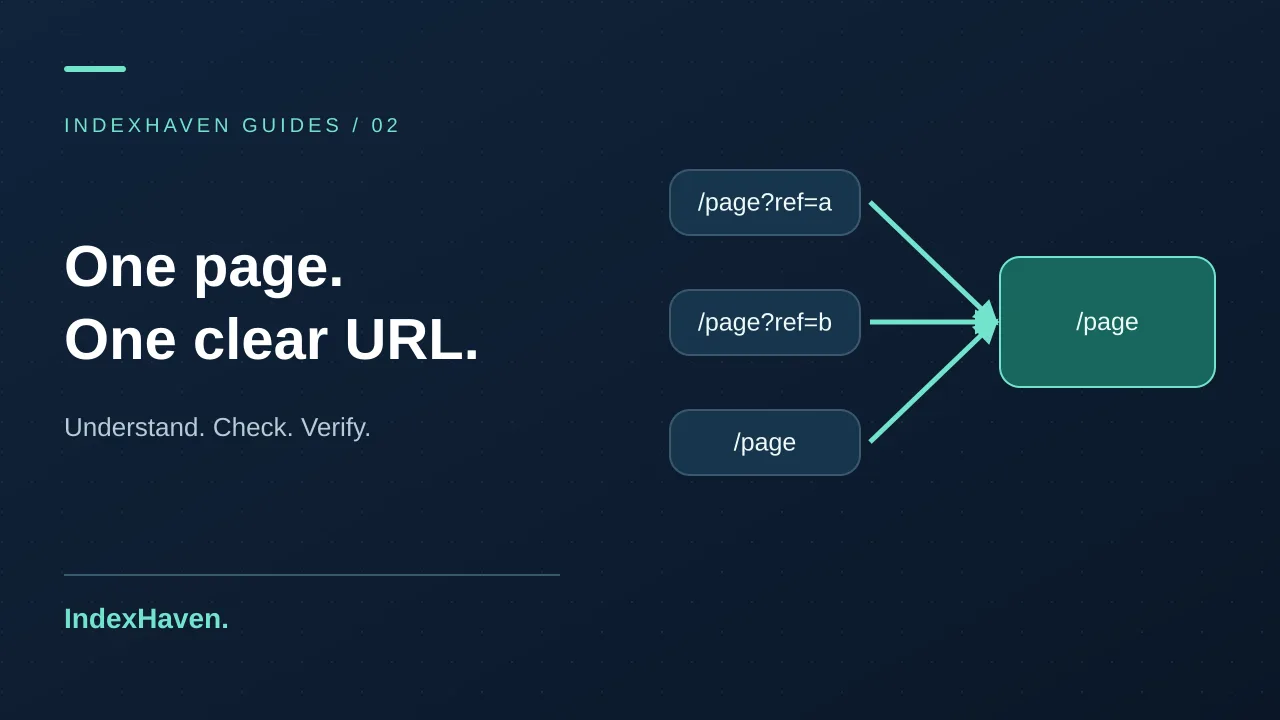
Imagine a shop sending a newsletter that links to a product with campaign parameters. The clean product URL and the newsletter URL show the same item, description, and purchasing options. The team wants one maintained product address while retaining campaign attribution for the visit.
A sensible review checks that the parameter version loads the correct product, the preferred URL is the intended clean address, and internal product links use that maintained address. Then check the clean page itself. This example does not imply that every parameter should be removed: some parameters change content or represent an important application state.
Document the difference between tracking parameters and content parameters. A developer who receives the vague instruction “strip all queries” could break filters, searches, or integrations. The SEO repair should preserve the customer's task while making the preferred public URL clear.
Example: every article points to the blog homepage
Consider a publishing site where a template accidentally gives every article the same canonical target: /blog. The articles cover different subjects, so the listing is not an equivalent version of each article. The shared declaration hides a configuration problem behind a value that looks syntactically valid.
Investigate the template variable responsible for the URL. Is it using the listing route instead of the article slug? Was a default copied into all records? Fix the source of the value, then sample several articles, including one with a custom slug and one with an older redirect.
The acceptance check should ask whether each article declares its own intended address, not merely whether a canonical element exists. This is a useful example of why presence checks are weaker than meaning checks. A perfectly formatted field can still contain the wrong information.
Example: a redesign leaves the old hostname behind
An agency moves a site from a preview hostname to its public domain. The pages load on the new host, but a shared base URL still points canonical declarations toward the preview. The fix may involve an application setting used at build time rather than individual content records.
Before changing the value, inspect where else it is used. It may also influence sitemap URLs, social images, authentication callbacks, or absolute internal links. Coordinate the change with the person responsible for deployment so the repair does not silently disrupt unrelated behavior.
After deployment, verify several public templates and the sitemap. Keep preview pages appropriately restricted. Record which build was checked and what hostname appeared in the output. This creates a reliable handoff for the next release rather than leaving the same environmental mistake waiting to happen again.
Avoid solving different problems with one canonical rule
A redirect changes where the request goes. A canonical declaration expresses a preference among similar pages. Noindex excludes a resource from search when processed by a supporting crawler. Authentication controls access. These mechanisms may appear in the same investigation, but their jobs are different.
For an old page with a clear replacement, a redirect may be appropriate. For a live duplicate that still needs to remain accessible, a canonical relationship may make sense. For an account screen, access control is the primary requirement. Do not use one blanket SEO rule across all three cases just because your CMS offers a convenient toggle.
When discussing the fix, describe the user experience you want first. Should the browser move? Should both URLs remain available? Should the content be private? Once the behavior is explicit, the technical choice becomes easier to review and test.
Work carefully with filters, pagination, and languages
Filtered pages deserve a content decision, not a universal answer. Some filters create near-duplicate views with little independent value. Others represent useful landing pages with distinct products and intent. Inspect the actual output and the site's search strategy before deciding how these URLs should be handled.
Likewise, a second page of a listing is not automatically identical to the first. Ask what content a visitor would miss if the pages were treated as interchangeable. For language versions, involve someone who understands the site's international structure rather than pointing every translation at the same page out of convenience.
For this class of change, prepare a small matrix of representative cases. Include an unfiltered listing, a useful filtered page, a low-value variation, and any relevant language version. Write the expected behavior beside each before implementation. That document is more valuable than an unqualified instruction to “fix duplicate content.”
Use a change plan that can be reversed
Canonical corrections can affect many pages through one template. Before release, save the old behavior and note why the new mapping is preferred. Review a sample in a non-production environment, then verify the live output after deployment. The goal is to keep the change understandable and reversible.
Avoid combining a canonical repair with an unrelated slug migration, navigation redesign, and content rewrite unless there is a clear need. Multiple simultaneous changes make it harder to explain what happened if the result is unexpected. A smaller release gives you cleaner evidence and a simpler rollback decision.
If a client asks whether the change will increase traffic, separate the technical goal from the commercial hope. The goal is consistent, appropriate URL signals. Traffic depends on more than that correction, and any observed change needs context before it becomes a case-study claim.
Monitor the signals that matter after the repair
Choose representative pages and save their intended state only after reviewing it. In IndexHaven, an approved baseline gives subsequent observations a reference point. An unexpected canonical change can then be investigated as a concrete difference rather than discovered weeks later in a broad audit.
Do not approve every changed observation automatically. First decide whether a content migration or deliberate edit explains it. Keep the old and new values with a timestamp and owner. If the change is expected, approve it with context; if it is unexpected, find the responsible configuration before replacing the baseline.
Monitoring has boundaries. IndexHaven reads server HTML, does not render JavaScript, and does not know Google's selected canonical. Use it alongside rendered inspection and Search Console when those views matter. The monitoring features page describes the scope so you can choose checks based on the evidence they actually provide.
A practical review template for agencies
For each issue, record the observed URL, declared target, target status, intended content relationship, and relevant internal links. Add the affected template and the person who owns it. Finish with a proposed correction and a short acceptance test. Keep speculative impact in a separate field from verified behavior.
A useful acceptance statement might be: “The service page declares its current public URL; the old route redirects there; navigation and sitemap use the current address.” A weak statement is: “Canonical SEO fixed.” The first can be independently checked by a colleague who was not part of the investigation.
Include a follow-up date for Search Console if the issue involved Google's selection. Do not leave a technical ticket open indefinitely waiting for a particular ranking, but do not claim a search outcome merely because the deployment succeeded. Separate the completed engineering work from the ongoing observation.
Questions about canonical tags
Can a canonical tag point to another domain?
Cross-domain declarations exist, but they need a deliberate content and ownership decision. Do not add one casually because another page has a stronger reputation. Confirm the publishing relationship and why the external page should represent the content. If a new external target appears unexpectedly, investigate the source of the change before assuming it is harmless.
Is every duplicate URL a penalty?
Do not label ordinary URL variations as a penalty without evidence. The practical task is to reduce confusing signals and maintain useful pages. Focus on the actual response and Google's reported selection. A frightening label can push teams into unnecessary deletions when a routing or template correction would be more appropriate.
Should I change canonicals every time rankings move?
No. A canonical policy should follow the intended URL and content relationship. Frequent changes without a clear reason create a moving target for your team and for crawlers. Investigate ranking changes across content, demand, competition, and technical evidence before treating one tag as the universal explanation.
How do I know the correction worked?
Verify that the live declaration, destination, internal links, and sitemap match the chosen policy. Then observe Google's reported selection separately. These are two milestones, not one. For a first check, use the canonical tool, save the evidence, and move through the workflow above rather than stopping at the presence of a tag.