Redirect Chains: How to Find and Fix Every Hop | IndexHaven
Redirects
Redirect Chains: How to Find, Fix and Monitor Every Hop
By IndexHaven Editorial · Published 2026-10-12 · Updated 2026-10-12
Trace redirect chains and loops, choose the correct destination, preserve important parameters, and verify routing changes with practical examples.
In this guide
A redirect chain happens when a URL sends a visitor to another URL that redirects again before the final page loads. To investigate one, record every response in order, identify which system creates each hop, and check that the final page is the intended destination. Where practical, replace unnecessary steps with a direct redirect to the correct final URL and update the links you control.
Do not judge a redirect only by the final 200 response. A customer can arrive on the wrong page after several successful requests. A crawler can encounter a loop or an unavailable destination. A checkout request can behave differently from a simple page visit. The useful question is not just “does it redirect?” but “does this route preserve the user's intended task?”
What a redirect chain looks like
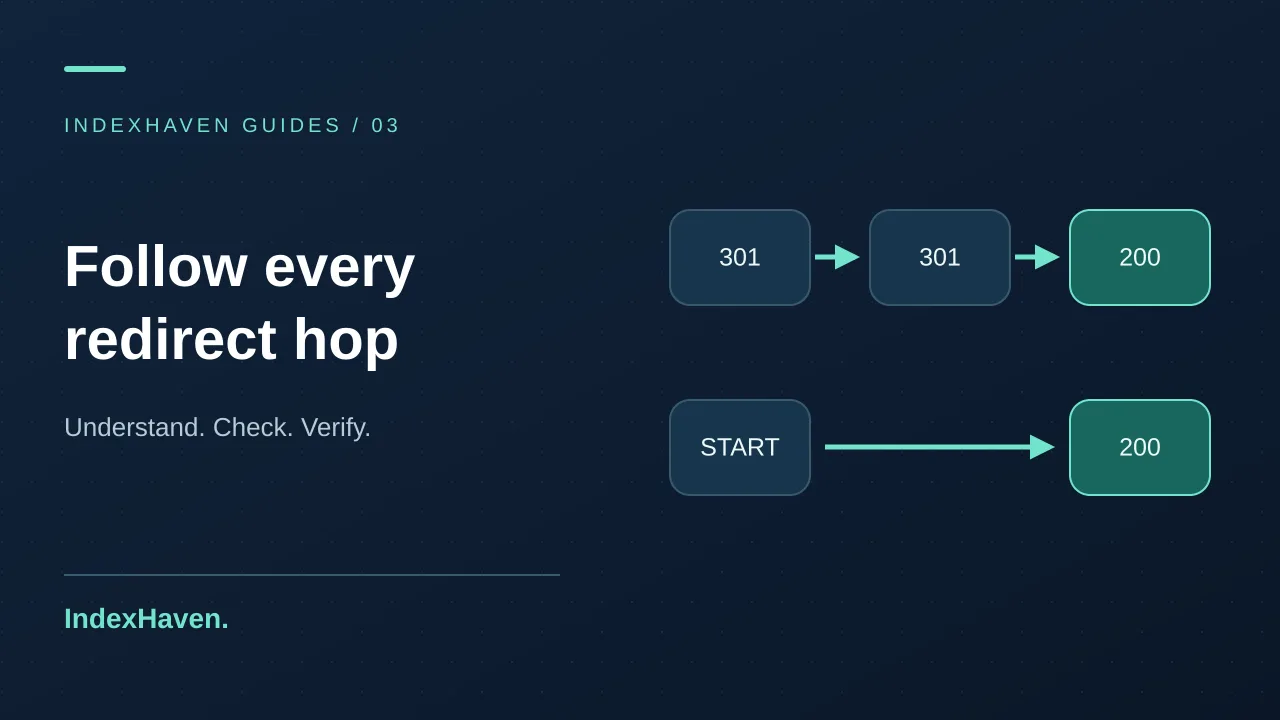
Imagine a link to http://example.com/old-service. The first response sends it to https://example.com/old-service. The next sends it to https://www.example.com/old-service. A final rule moves it to https://www.example.com/new-service/. That is a chain of multiple redirects before content is delivered.
Each step may have been reasonable when it was added. HTTPS enforcement, hostname standardization, and a changed page slug are separate maintenance decisions. The chain appears when those decisions accumulate without someone reviewing the complete route. This is why redirect cleanup is often a coordination task rather than a single broken line of code.
A direct route is easier to explain and maintain. But do not remove a step just because a diagram looks untidy. Confirm why it exists, whether it changes meaningful information, and whether other traffic depends on it. The best repair simplifies behavior while keeping the destination and request handling correct.
Chain, loop, and unexpected destination are different problems
A chain eventually reaches a final response. A loop cycles between URLs or repeatedly returns to a previous state. An unexpected destination can be a perfectly finite route that lands on the wrong content. All three deserve different acceptance checks.
For example, an old service page redirecting to a new equivalent service page may be correct even if it has an unnecessary intermediate hop. A language rule bouncing between /en and / is a loop. An expired product redirecting to an unrelated homepage may preserve a successful status while failing the visitor's expectation.
Describe the actual symptom in your ticket. “Old product link ends on the homepage” is more actionable than “redirect issue.” Include the original URL, the route observed, and the destination you expected. If a tool stops after its maximum number of hops, say that the route exceeded the tool's limit rather than claiming you observed the final response.
Know what the common status codes mean
Topics: redirects, technical SEO, website monitoring, redirect-chain-checker, http-status-checker
groups 301 and 308 as permanent signals and 302 and 307 as temporary ones. Choose the behavior that matches the actual move rather than treating one code as universally better.
Request methods also matter outside ordinary browsing. The HTTP semantics standard distinguishes method-preserving redirects from cases where clients may change a POST to a GET. If you are changing redirects on forms, APIs, payments, or authentication callbacks, have the relevant developer review the method and payload behavior.
For a normal content page that moved permanently, the investigation is usually about the intended replacement and a clear route to it. For a temporary campaign or maintenance state, the intention may be different. Write that intention down before selecting the code. Status codes should express the decision, not make it for you.
Step 1: choose URLs that represent real visitors
Start with links people actually use. Good candidates include important internal links, old URLs from a migration map, paid campaign destinations, newsletter links, and addresses reported in Search Console. A handful of representative URLs often exposes the rule pattern more clearly than a random list of hundreds.
Keep the full address, including relevant parameters. A campaign parameter may be required for attribution; a search parameter may control the page's content. If you test only a shortened version, you may miss the behavior causing the problem. Remove personal or secret values before putting evidence in a shared report.
Group your sample by intent: old content, hostname variation, HTTPS entry, language route, and any application-specific case. That grouping helps the developer see whether one global rule or several local rules are responsible. It also provides a sensible regression set after the repair.
Step 2: capture each hop, not just the final URL
Use the redirect-chain checker to see bounded HTTP redirect evidence. IndexHaven follows up to five public HTTP redirects and reports the observed path within its safety limits. It does not execute browser JavaScript, so client-side navigation may require a separate browser investigation.
For a developer inspecting an authorized public page, a command-line capture can be useful:
The output file records response headers along the followed route. Check the Location values and statuses in sequence. Do not use an unlimited loop of requests against a fragile site. A bounded test is enough to establish the route before you investigate the configuration.
Record whether the test used a normal GET request, a browser navigation, or another method. A HEAD request can behave differently on some systems, so an apparent disagreement deserves examination rather than an automatic conclusion that one tool is wrong.
Step 3: identify the owner of every rule
A redirect can come from the application, a web server, an edge service, a hosting panel, or a CMS plugin. Several layers may be active at once. If you only edit the application, an earlier edge rule may continue sending the request somewhere else.
Draw a simple map from incoming URL to final page and label the likely layer for each transition. Then confirm those labels with configuration or logs. Keep “suspected” and “confirmed” separate. A response header can provide a clue, but it is not always enough to identify the exact rule that ran.
Ask who owns each layer. On an agency project, the DNS or CDN account may belong to the client while the CMS belongs to the developer. A technically correct fix still needs the right person to apply it. Clear ownership prevents repeated changes in the wrong dashboard.
Step 4: decide the correct final destination
The best target is the page that fulfills the original link's purpose. If a service was renamed but remains available, its updated page may be a clear replacement. If an article moved without changing subject, its new address may be appropriate. If the resource has no equivalent replacement, a blanket redirect deserves more thought.
Open the target and read it. Does the title match the intended subject? Is the language right? Is a product actually available there? Does it require a login when the source was public? A response code cannot answer these content questions for you.
Google's HTTP status guidance explains that successful responses, redirects, and errors have different crawling implications. Use the status appropriate to the resource's real state. Do not force every retired URL to return a cheerful-looking destination simply to eliminate errors from a report.
Step 5: simplify the route and update internal links
Once the intended destination is agreed, adjust the responsible rules so important old URLs reach it without avoidable intermediate steps. Keep the change scoped to the host and paths you control. A global server replacement can affect other websites if they share infrastructure.
Then update internal links to the final address. A redirect is useful for old bookmarks and external references; it should not become the default route for every new navigation link. Review menus, article links, category cards, and stored content fields that still use the old URL.
Also compare canonical declarations and sitemap entries. A clean redirect can coexist with stale signals elsewhere. The canonical troubleshooting guide provides a separate workflow for those values. Aligning the route and the preferred address makes maintenance easier even when no immediate search change is visible.
Example: HTTPS and hostname rules create extra steps
Suppose a business prefers https://www.example.com. A visitor starts at http://example.com/contact. One rule upgrades the protocol on the non-www hostname; a second rule adds www. The route works, but it requires two redirects before the preferred host serves the page.
A developer can review whether the first entry point can send the request directly to the chosen HTTPS hostname while preserving the path and appropriate parameters. Test the homepage and several nested paths, not just /. A rule that looks correct for the root can accidentally discard the rest of the address.
Do not change the preferred hostname merely to remove a hop. The goal is to implement the existing policy consistently. If the business actually wants a hostname migration, treat that as a broader change with its own inventory and verification plan rather than hiding it inside a small redirect cleanup.
Example: a migration map points to another old URL
Imagine a content migration from /guide-old to /guide-new, followed months later by a move to /resources/guide. The original rule still points to /guide-new, which now redirects again. The history explains the chain, but the current maintenance task is to make the mapping reflect today's destination.
Create a small source-to-final-target inventory. Validate each target before replacing the mappings. A bulk search-and-replace can be dangerous if some intermediate pages now serve different content or if similar slugs belong to unrelated resources. Review exceptions explicitly rather than forcing them through the majority pattern.
After the release, test both historical entry points and the final page. Check that the final page's canonical and internal links use its current address. Save the mapping in version control or another maintained system so the next redesign starts from an accurate inventory instead of rediscovering old rules.
Example: two systems disagree about a trailing slash
A web server may add a trailing slash while an application removes it. A request then alternates between the two forms until a client stops following. The browser reports a redirect problem, but the content itself may be perfectly healthy when reached through another route.
Compare the Location values carefully. Repeated changes between the same two shapes are a strong clue. Identify both rules, choose the intended path format, and make the layers agree. Avoid raising the browser's redirect limit as a “fix”; that only lets the loop continue for longer.
Test more than the affected example. A path-normalization rule may apply to an entire section. Include an existing page, a missing page, a path with parameters, and a resource such as an image where appropriate. The acceptance criterion is consistent routing, not just one browser tab finally loading.
Preserve parameters deliberately
Query parameters are not all disposable clutter. Some identify a campaign, some select content, and some carry application state. Before rewriting them, classify the parameters used by the URLs in your sample. Ask the owner of analytics or the application to confirm which values need to survive.
A useful test uses harmless example values and checks the final URL and page behavior. Do not test with real password-reset links, payment tokens, or customer-specific data in a public checker. For sensitive flows, use an isolated environment and the application's own test procedures.
Document the policy in plain language: “Keep campaign attribution values, preserve the search query, and remove only the obsolete parameter named in this ticket.” A broad instruction to “clean URLs for SEO” leaves too much room for a destructive interpretation.
Check the destination beyond its status code
After the routing repair, inspect the final page's title, visible content, canonical target, and robots instructions. A redirect can deliver a page successfully while that page carries an unintended noindex instruction or points its canonical somewhere else. Those are separate problems with separate owners.
Check the HTTPS certificate for every hostname the browser must contact along the route. An HTTP redirect does not rescue a failed TLS connection that prevents the browser from receiving that redirect in the first place. The SSL expiry guide explains why the certificate served publicly deserves its own verification.
For business-critical journeys, include a human functional check. A monitoring tool can describe HTTP evidence, but it may not complete a form, choose a product option, or validate a checkout. Match the test to the customer's task instead of treating a final status as a complete user-experience report.
Use a safe release and rollback plan
Export or record the existing rules before changing them. Prepare a small list of expected source and destination pairs. Review the proposed configuration for unintended hosts, broad matches, and missing path preservation. If the server is shared, scope the change to the relevant website.
Apply the update through your normal deployment procedure. Run any available configuration validation before reloading the service, then test the public entry points after the change. If behavior is wrong, use the prepared rollback rather than improvising several unrelated edits under pressure.
Keep the before-and-after evidence with the change record. Include a few negative cases: a path that should not redirect, a missing page, or another hostname that must remain untouched. These tests can catch overbroad rules that a happy-path check would miss.
Monitor important routes after migrations
A redirect inventory gets stale when it is treated as a one-time migration artifact. Choose important old entry points and current landing pages for periodic review. Focus on links with a real business purpose, such as a widely shared guide or an established service address.
In IndexHaven, use approved observations to compare meaningful response changes on verified websites. Review a changed destination before accepting it as the new baseline. A planned migration can explain a change, but an unrelated homepage target or login screen deserves investigation.
Understand the sampling limits. Scheduled checks do not observe every request, every geography, or every authenticated journey. The features page and plan limits explain the available scope and cadence. Use monitoring to maintain evidence between broader audits, not as a promise that every routing defect will be caught instantly.
How to report a redirect repair clearly
Write the old route and the new route in a form another person can follow. Note the response codes, the intended target, and the tested conditions. If the repair shortened a chain, state the number of observed steps before and after. Do not invent a speed gain unless you measured it under comparable conditions.
A good client update might say: “The old service URL now redirects directly to the current service page. We also updated the menu link and verified the target's canonical.” That describes completed work. “SEO power restored” does not identify a testable result.
If Search Console still shows older routing information, compare crawl dates and monitor the later update separately. Technical verification and search reporting do not always move at the same time. Keeping those milestones distinct makes the report more credible and helps the client understand what remains uncertain.
Frequently asked questions
Are all redirect chains harmful?
Not every chain is an urgent defect. Assess the number of steps, the destination, the importance of the entry point, and whether the route is intentional. Simplifying avoidable hops is useful maintenance, but prioritize loops, wrong destinations, and broken critical journeys before polishing obscure historical variations.
Can I just redirect every missing page to the homepage?
That usually ignores what the visitor was trying to find. Review whether a meaningful replacement exists. If it does, map the old page to that replacement. If it does not, use an appropriate missing-resource experience rather than sending unrelated requests to one generic destination.
Why does a browser show something different from a checker?
Cookies, geography, user agents, cached redirects, request methods, and JavaScript can affect the observed route. Record the conditions and compare them. The IndexHaven checker follows bounded HTTP redirects; it does not reproduce every browser action. A difference is a clue about context, not automatic evidence that either observation is false.
What should I test first after a domain change?
Start with the old homepage, several important deep links, the new final pages, and HTTPS on each involved host. Then inspect canonical declarations, sitemap URLs, and internal links. Keep a rollback ready and make sure another person knows which source-to-target mapping was approved before the release.